Open a room
Sign in and create your private remote session.
A little simpler. A little more connected.
A thoughtful bilateral stimulation workspace for clinicians. Simple tools for focused sessions, wherever you connect.
Free access during beta · Sign in with ChatGPT
Sign in and create your private remote session.
Your participant joins with one link. No account needed.
Set the pace, adjust the experience, and stay connected.
Visual movement and stereo sound in one workspace.
Share a private link. Guide the session live.
Classic dots and engaging options for all ages.
Set the pace with timed starts and structured sets.
Adjust movement, speed, colors, and sound.
Save your work. Participants join without accounts.
 Classic Dot
 Butterfly
 Bee
Bee Star
Star Bubble
 Balloon
 Fish
Fish Rocket
Neutral, friendly, and flexible. Choose what works best for each session.
Data-minimized by design
EMDRdot is built to minimize unnecessary participant data and keep the session experience simple.
No. The clinician shares a temporary anonymous participant link for the active remote room.
Clinicians can enter target details and set notes, export session information, and save client records to their account. Saved records are stored on the server and are private to that clinician account. See the data-handling guide for details.
The authenticated clinician controls the target, movement, pacing, countdown, and audio settings.
The room remains active until the clinician ends it. The participant can reopen the same link while that room is active.
Free EMDR resources
Evidence-informed guides for clinicians and clients.
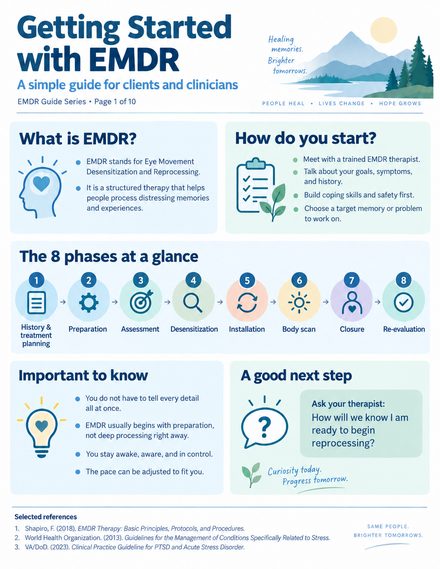
An introduction to the eight phases of EMDR, preparation, target selection, and what to expect when beginning treatment.
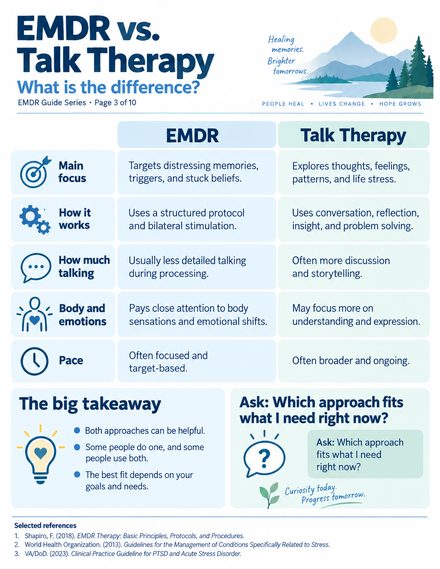
Compare treatment focus, structure, processing, and discussion without assuming one approach fits everyone.
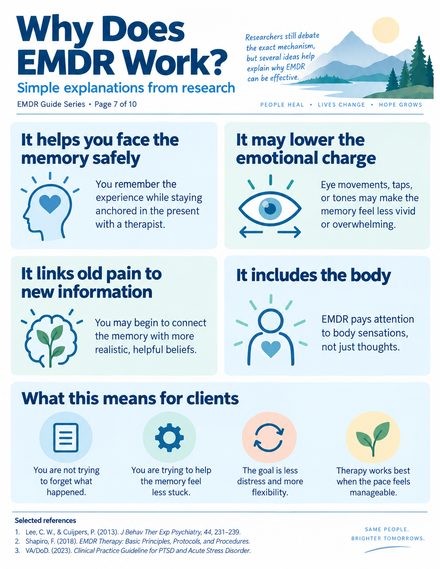
Explore proposed mechanisms, including working memory, while distinguishing research findings from settled explanations.
Explore EMDRdot and see how simple bilateral stimulation can be.